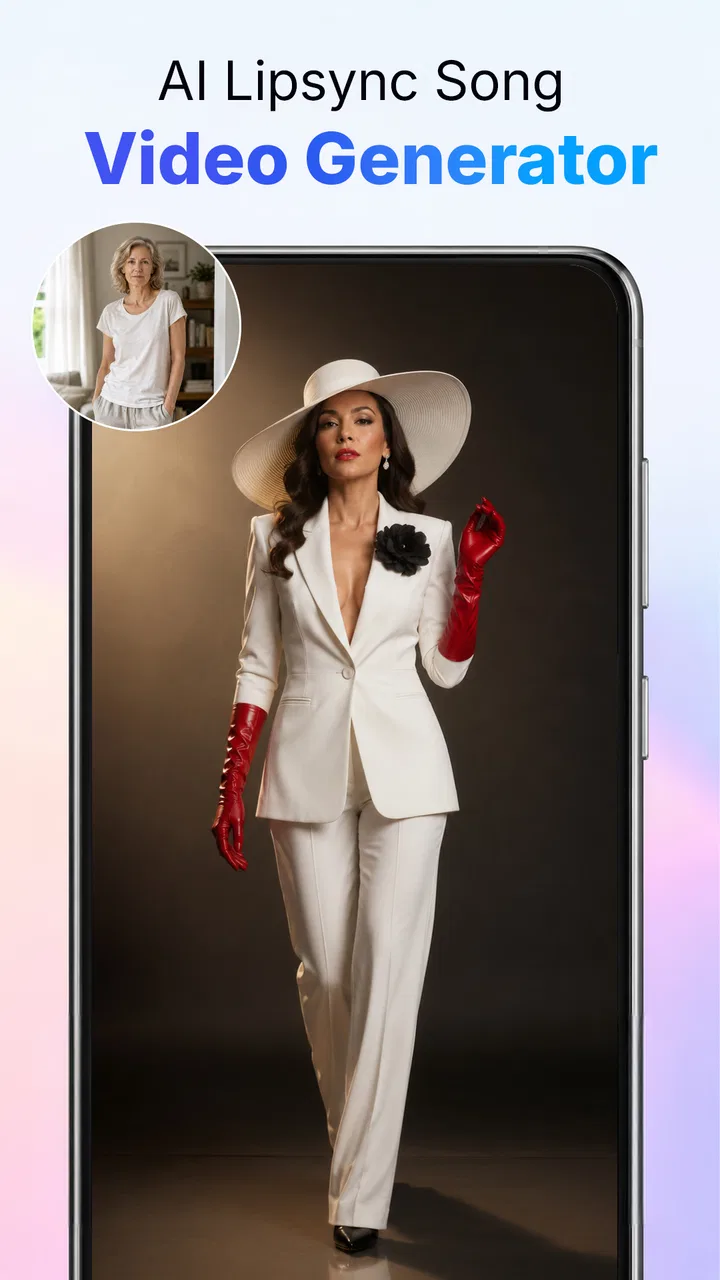
AI Photo Beauty Editor Studio
- 4.2
- Rating
- 1.00M
- Installs
- Free
- Price
 Analysis by App-foxy
I approached AI Photo Beauty Editor Studio as a working photography tool rather than a novelty filter app. Its main idea is simple: start with a beauty photo, describe the change you want in an AI prompt, and use that direction to retouch, remove a background, remove an unwanted object, or improve the overall image. That makes it interesting for anyone who wants to move from a rough phone photo to something ready for a profile, post, listing, or message without opening a full desktop editor.
My first impression is that it sits between a traditional beauty editor and a prompt-driven image tool. You are not limited to selecting a preset and accepting the result, but you also do not get the same level of precise control that a professional editor offers. The appeal is speed and accessibility. I can explain an intended change in ordinary language instead of manually searching through masks, layers, brushes, and adjustment panels.
The app comes from ATQ - AI Lab and belongs to the Photography category. It is free to install, with optional purchases priced from around eight dollars to around forty dollars per item. That pricing makes the first test easy, but it also means I would spend time learning the free workflow before committing to anything paid. The age rating is Everyone, so its presentation is approachable for a broad audience.
You May Also Like

 Blood Strike: 2.5 Anniversary
Blood Strike’s Loadouts Turn Every Drop Into a Tactical Gamble
A close look at Blood Strike’s custom loadouts: how fast access to signature weapons reshapes its battle royale rhythm, rewards preparation, and narrows the gap between fights.

 Pandora - Music & Podcasts
Pandora’s Music Is Easy to Start, but Harder to Recover
Pandora’s strength is its low-effort path from a seed to a station. Its weak spot is how much confidence it asks you to place in connection, setup, and quiet recovery.

 8 Ball Pool
 Is Built on Rivalries, Rematches, and Routine
A close look at the rivalries, rematches, shared routines, and unanswered safety questions that turn a quick pool match into a persistent mobile community.

 Samsung Music
’s Quiet Strength Is Playing What You Already Own
Its reach comes less from spectacle than from dependable access to a personal library. That simplicity is both the app’s strongest retention engine and its ceiling.

 AccuWeather: Weather Radar
AccuWeather Review: A Quick, Clear Forecast for Everyday Decisions
For everyday plans, the best forecast is the one you can understand quickly. AccuWeather makes rain timing, radar, and local conditions easy to act on, with a few trade-offs.

 Hill Climb Racing
Why Hill Climb Racing Still Turns Crashes Into One More Run
A tiny car, a bumpy hill and one more upgrade: Hill Climb Racing keeps resurfacing because its simple chaos makes every near-miss feel personal.
More From Our News Desk
View All News


From a rough photo to a usable creative brief
I use this section to look at how a specific editing goal can become a clearer prompt, especially when the photo has several distractions but only one needs fixing. A useful brief names what should change and what must stay recognizable, which helps keep a quick correction from turning into an unwanted makeover. That way of thinking also sets up the next step: judging the result as an image, not just as a successful edit.
Starting with the image you actually have
The strongest use case is not creating a completely new picture. It is taking a photo that is nearly useful but has one or two visible problems. Perhaps the lighting is uneven, the background is distracting, or a small object pulls attention away from the subject. In that situation, a prompt-based editor can be more practical than opening a complex application and rebuilding the image manually.
I would begin with a clear original image and a specific goal. Instead of writing something broad such as “make me look better,” I would describe the change and protect the parts that matter: “soften minor skin texture while keeping facial features natural,” or “remove the clutter behind the subject and preserve the hair edges.” This distinction is important because beauty editing can quickly become excessive when the instruction does not define what should remain untouched.
The app’s store summary focuses on retouching, background removal, object removal, and enhancement through AI prompts. Those are four different jobs, and I would treat them separately rather than asking for everything in one instruction. A single request that combines a new background, stronger skin smoothing, sharper detail, and improved lighting gives the system too many decisions at once. Separate passes are easier to judge and easier to undo mentally if the result goes in the wrong direction.
For a creator preparing a social profile image, the starting brief might be: keep the face recognizable, reduce temporary distractions, and make the background less busy. For a small online seller, the brief could focus on removing a stray object and making the product stand out without changing its shape. These are more reliable goals than asking for a vague “professional” appearance, because they tell the editor what visual problem needs solving.
Where it fits beside ordinary alternatives
A conventional mobile beauty editor is usually better when I want predictable sliders. I can decide exactly how much smoothing, brightness, contrast, or color adjustment to apply. A background-removal utility may also be preferable when the only task is cutting out a subject quickly. A full editor remains the better choice for layered compositions, typography, detailed masking, and consistent brand production.
This app becomes more appealing when I know what I want visually but do not want to translate that idea into a long sequence of manual tools. Prompting can shorten the path from intention to first draft. The trade-off is that the result may require more visual checking, because an AI interpretation can solve the stated problem while introducing an unwanted change somewhere else.
That is the first practical lesson I would give a friend: use it for targeted corrections and quick creative exploration, not as a replacement for every editing method. Its value depends on whether describing the change is faster for you than controlling it yourself.
A realistic everyday workflow
Imagine I have taken a portrait outside a café. The subject looks good, but a sign and several passersby compete with the face. I would first make a copy of the original, then ask for the distracting background elements to be removed while keeping the person and their outline intact. After checking the edges, I might use a separate retouching instruction for a small temporary blemish rather than applying broad smoothing across the whole face.
Before sharing the result, I would compare it with the original at normal viewing size, not only zoomed in. AI edits can look impressive close up while feeling artificial when viewed as a complete photograph. I would also check repeated textures, hair, jewelry, fingers, and the boundary between the subject and the background. Those areas often reveal whether an automated correction is ready to publish or needs another attempt.
This workflow is useful because it treats the app as a draft-making assistant. The first output does not have to be final. It only needs to move the photo closer to the intended result without creating more work than the original problem.
Prompting for restraint instead of transformation
Beauty tools often tempt users to request dramatic changes because dramatic previews are immediately noticeable. In practice, subtle instructions are more useful for photos that need to remain believable. I would include words such as natural, preserve, lightly, or keep the original expression when those qualities matter. I would avoid asking for a total makeover unless the image is clearly intended as an artistic experiment.
A useful technique is to define the boundary of the edit. For example, an instruction can focus on the background while asking the subject, clothing, and lighting on the face to remain unchanged. For object removal, I would identify the object and describe the surrounding texture that should continue through the empty area. This does not guarantee a perfect result, but it gives the editor a narrower task to interpret.
Another non-obvious advantage of prompt editing is that it encourages me to think in outcomes rather than tools. I do not need to know the name of a particular retouching function before starting. The weakness is that the app may not expose the same fine-grained control I would get from a brush or mask, so I would not rely on it for work where every edge must be exact.
Making, reviewing, and handing off the finished image
Here I focus on the choices that matter after an edit looks promising: checking it at its intended size, keeping the untouched original, and deciding whether the finished image is ready to share or needs another pass. I find that a simple handoff routine prevents a useful draft from being mistaken for a final. It also makes the app’s role clearer when comparing quick AI-assisted work with a more controlled editor.
Building the image in controlled passes
I would organize the process into three passes. The first would address structural distractions, such as an unwanted object or a background that competes with the subject. The second would handle appearance, including restrained beauty retouching. The third would be enhancement, where I would decide whether the image needs more clarity or general improvement. This order matters because polishing an image before removing a major distraction can make the later correction feel inconsistent.
Keeping each pass focused also helps with judgment. If the background removal looks wrong, I know which instruction caused the problem. If I ask for removal, retouching, and enhancement together, it becomes difficult to tell whether a strange result came from the subject, the environment, or the overall enhancement request.
I would save the original outside the editing session and avoid treating the first generated version as precious. The safest creative workflow is comparative: original, first attempt, revised attempt, and final candidate. Even when the app makes the process feel quick, the decision about which version is genuinely better still belongs to me.
Iteration is where the app earns its place
The most useful way to judge an AI editor is not by its best preview, but by how practical it is when the first result is imperfect. With this kind of tool, I expect to revise prompts. If a background removal affects hair, I would narrow the instruction and emphasize preservation of fine edges. If retouching makes the face too smooth, I would request a lighter correction and explicitly keep natural texture.
I would not keep piling instructions onto a visibly poor result. When an edit has changed too many important details, starting again from the original is often cleaner than trying to repair a chain of alterations. This is a key trade-off compared with manual editing: prompt iteration can be fast, but repeated automated changes may drift away from the source.
For portraits, I would inspect the eyes, lips, hairline, skin transitions, and facial proportions after every meaningful pass. For product photos, I would check logos, labels, straight edges, and small distinctive parts. For background edits, I would inspect shadows and contact points, because a subject can look cut out even when the main outline appears acceptable.
One of the app’s practical strengths is that it lets a less experienced editor communicate an intention without learning a professional vocabulary. Its limitation is that natural-language intention is not the same as pixel-level control. If a client asks for an exact crop, a repeatable color treatment, or a precisely measured layout, I would choose a conventional editor instead.
Choosing the right audience
I think the app is best suited to casual creators, social media users, students, small sellers, and anyone who regularly takes photos that are almost ready but need a quick cleanup. It may also help people who feel overwhelmed by editing interfaces. The prompt approach gives them a more direct starting point than a screen full of sliders.
I would be more cautious about recommending it to photographers who need a consistent workflow across many images. AI interpretation can make each result feel slightly different, while professional work often depends on repeatability. It is also not my first choice for detailed compositing, restoration, or edits where preserving every original feature is essential.
The free entry point is helpful for testing whether the interaction style suits you. However, the optional purchase range means I would evaluate the actual value of the tasks I perform rather than assuming every advanced result is worth paying for. Someone who edits one occasional profile photo may have a very different view of the cost from someone preparing images every week.
Publishing and handoff considerations
The final stage is not simply pressing save. I would view the image at the size where it will actually be used. A result intended for a profile picture should be checked as a small square or circle, while a product image should be judged for legibility and clear edges. An edit that looks subtle on a large screen can disappear when reduced, and an edit that looks polished close up can become distracting in a feed.
I would also keep the untouched original and a clearly named final version. That matters when an image later needs a different crop, a different background, or a less retouched appearance. A clean handoff is easier when I know which file is the source and which one is the approved output.
For a small business, I would use the app to prepare a quick draft, then review the image against the shop’s existing visual style before publishing. For personal use, I would ask whether the edit still looks like the person or place I intended to show. The best result is not necessarily the most altered one; it is the one that removes friction without weakening trust.
What the current release suggests
The app is currently at version 1.1.0 and requires Android 7.0 or later. That makes it accessible to many Android users with older devices, although the experience of AI editing can still depend on the phone, the image, and the complexity of the requested change. I would keep expectations realistic on a slower device and avoid judging the tool solely by how quickly the first screen responds.
Its average rating is around 3.3 from over 500 ratings, with a small number of written reviews visible alongside that score. I read that as a reason to test the workflow personally rather than treating the app as universally dependable. A middling rating does not tell me that the concept is unusable, but it does reinforce the need to inspect results and understand the purchase path before making it part of a regular routine.
My creator verdict
After looking at it as a complete creative workflow, I see AI Photo Beauty Editor Studio as a convenient first-draft tool with a clear audience. Its prompt-based approach can make common photo corrections feel less technical, especially when the goal is to retouch a portrait, clear a distracting object, separate a subject from its background, or give an ordinary image a cleaner finish.
I would recommend trying it when speed and simplicity matter more than exact manual control. I would not make it my only editor for professional production, repeatable brand work, or demanding compositing. The most reliable results come from short, focused instructions, separate editing passes, and a careful inspection of the final image.
The app is worth considering if you often think, “This photo would be good if that one thing were fixed.” It is less compelling if you already enjoy working with layers, masks, and precise adjustments. My honest recommendation is to begin with a few real photos, test subtle prompts, compare every result with the original, and decide whether the saved effort justifies any optional purchase. Used that way, it can be a practical bridge between an untouched phone photo and a shareable final image.
FAQs for AI Photo Beauty Editor Studio
01What features does AI Photo Beauty Editor Studio offer?
AI Photo Beauty Editor Studio provides a wide range of features, including AI-powered enhancements, beauty filters, background removal, and makeup tools. Users can also enjoy retouching options like skin smoothing, teeth whitening, and eye enhancement. The app’s interface is user-friendly, making it suitable for both beginners and advanced users.
02Is AI Photo Beauty Editor Studio free to use?
AI Photo Beauty Editor Studio offers a free version with basic features. However, for access to advanced tools and premium filters, a subscription or one-time purchase may be required. The app provides in-app purchases that allow users to unlock additional features and content for a more comprehensive editing experience.
03Does AI Photo Beauty Editor Studio work offline?
While some basic editing features may work offline, the app relies heavily on AI technology that requires an internet connection to function optimally. For the best experience, including access to cloud-based features and updates, it's recommended to use the app with an active internet connection.
04How does AI Photo Beauty Editor Studio ensure user privacy?
AI Photo Beauty Editor Studio is committed to user privacy. The app follows strict privacy policies, ensuring that personal data and edited photos are not shared without consent. Users can review the privacy settings within the app to control data usage and understand how their information is handled.
05Can I share my edited photos directly from the app?
Yes, AI Photo Beauty Editor Studio allows users to share their edited photos directly to social media platforms, email, or messaging apps. The app is integrated with popular platforms like Instagram, Facebook, and Twitter, making it easy to showcase your creativity with just a few taps.
Pros
- Intuitive interface makes editing easy.
- Wide range of filters and effects.
- AI enhances photos automatically.
- Real-time preview feature available.
- Supports high-resolution exports.
Cons
- Some features require in-app purchases.
- Occasional ads can be disruptive.
- Limited manual editing options.
- Requires internet for certain tools.
- May drain battery quickly during use.

AI Photo Beauty Editor Studio
Gallery